Freelance AI Automation Specialist

I build AI systems that
work while you sleep.

Roi Wencyslao Lavapie AI Specialist Engineer

scroll

About

An automation engineer who thinks like a business owner.

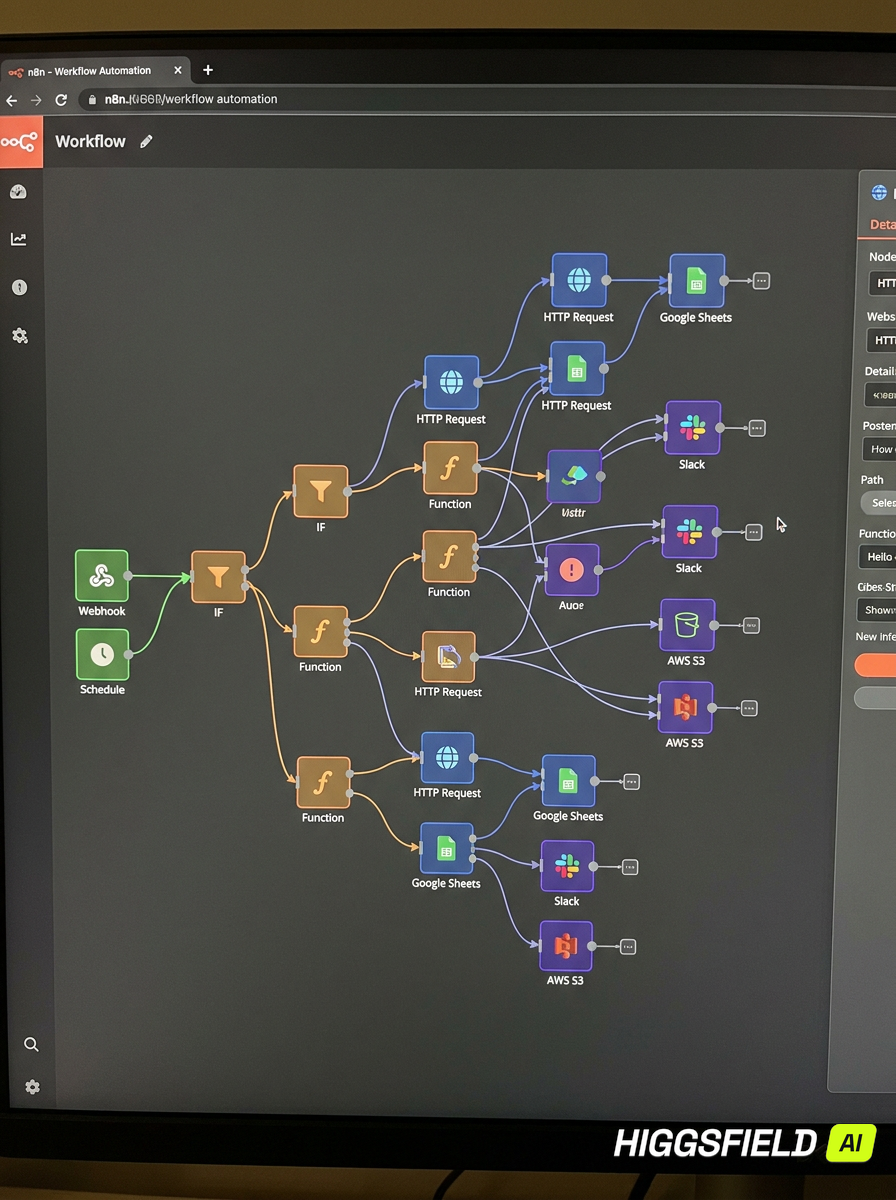
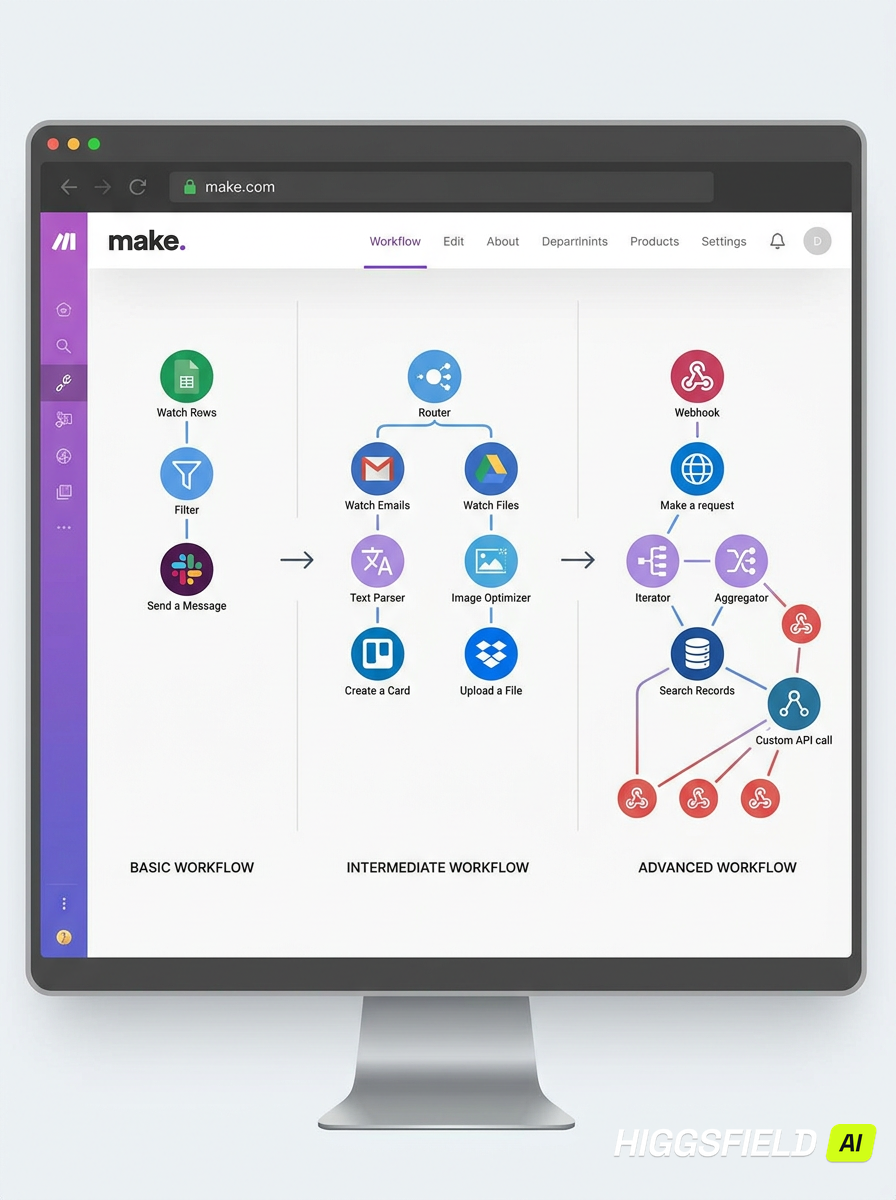
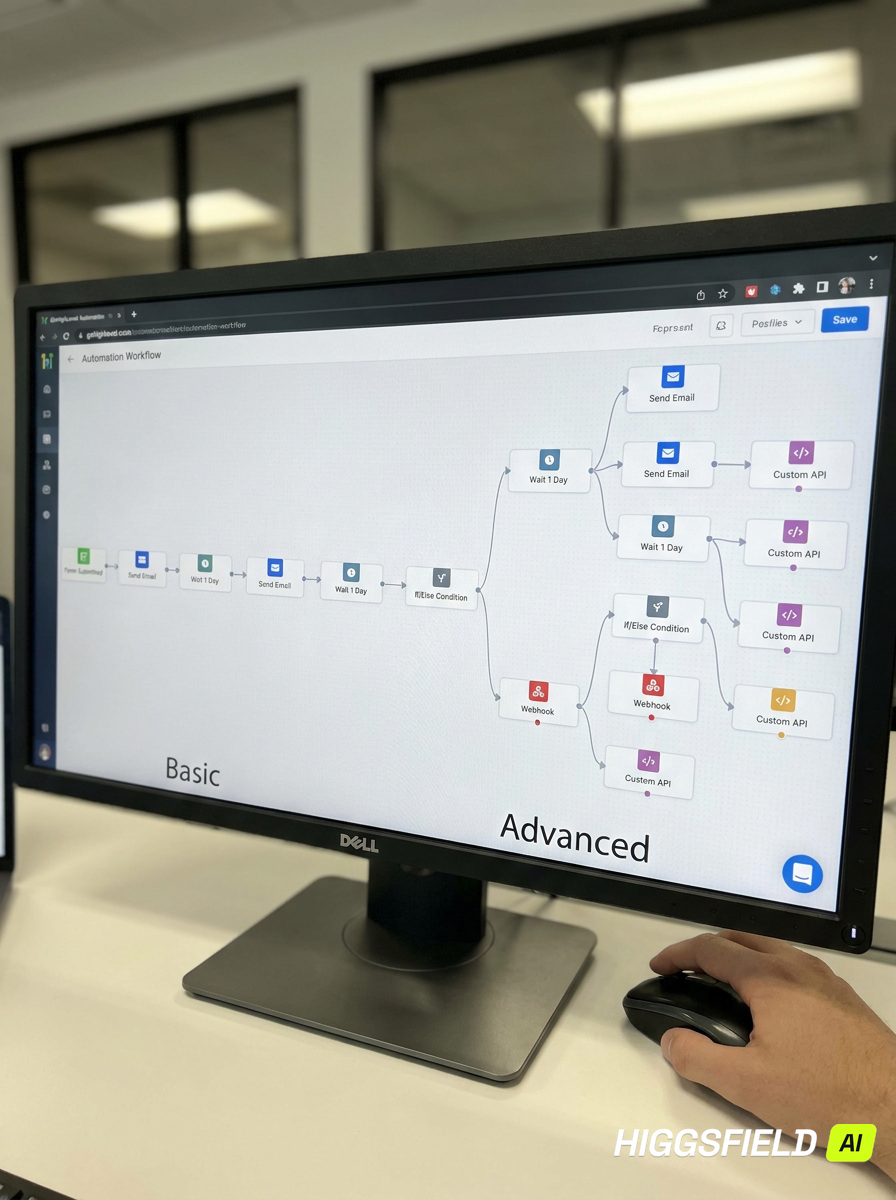
n8n workflow canvas with branching automation nodes Make scenario connecting business apps GoHighLevel CRM automation dashboard

Systems currently in production

I'm Whenz, an AI automation specialist based in the Philippines. I design and build the invisible systems that keep modern businesses running: AI agents that qualify leads, workflows that move data between your tools without a single click, and integrations that turn six manual steps into zero.

My focus isn't the technology — it's the outcome. Every system I ship is measured in hours recovered, errors eliminated, and revenue that would otherwise slip through the cracks.

  • 0+ hours automated monthly for clients
  • 0+ production workflows shipped
  • 0/7 — when your systems now work

Why automate

The cost of doing it by hand.

Without automation

  • Manual, repetitive tasks eating skilled hours
  • Human error in every copy-paste step
  • Slow processes that stall growth
  • Leads missed outside business hours
  • Labor costs that scale with every new client
  • Customers waiting days for a response

With AI automation

  • Systems that execute 24/7 without supervision
  • Consistent, error-free data across every tool
  • Processes that finish in seconds, not days
  • Every lead captured and followed up instantly
  • Costs that stay flat while output scales
  • Customers answered in minutes — more revenue kept

Selected work

Real systems, in production.

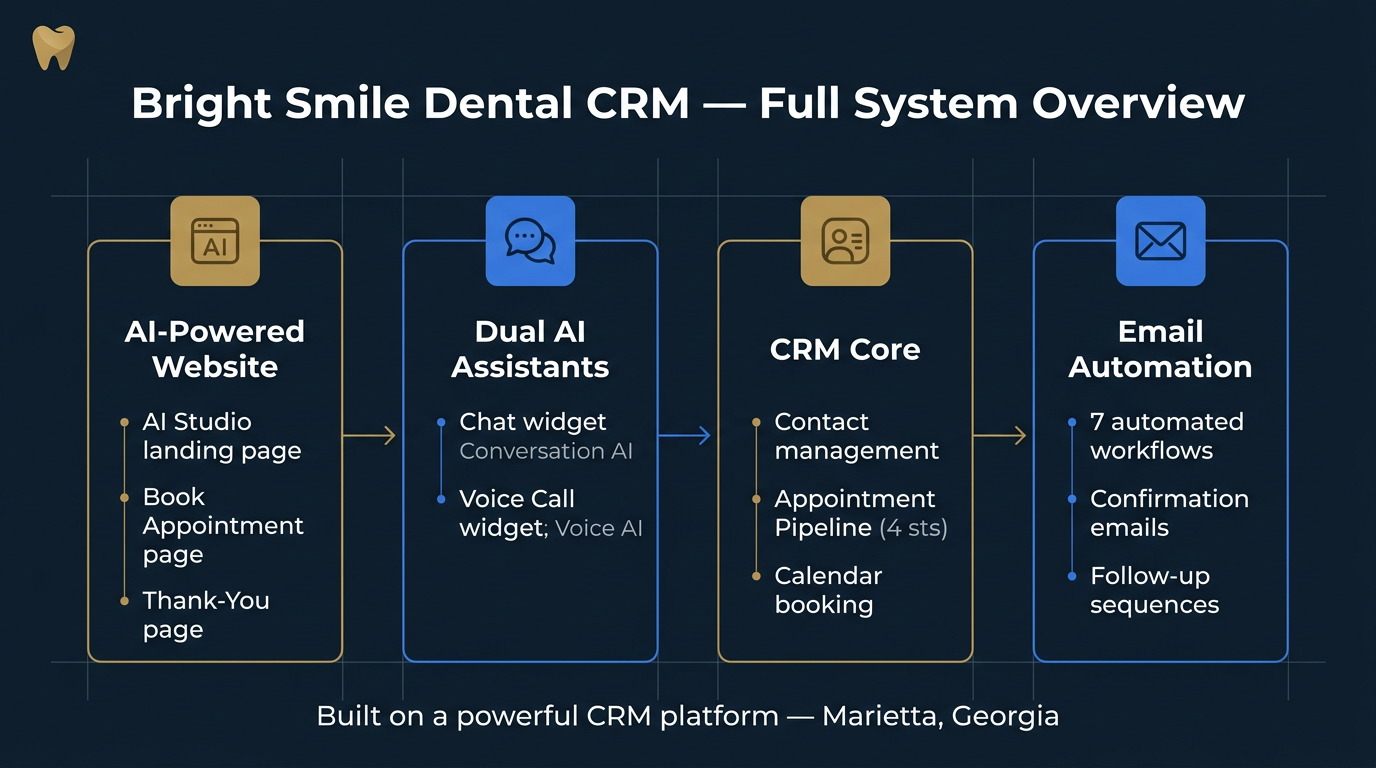
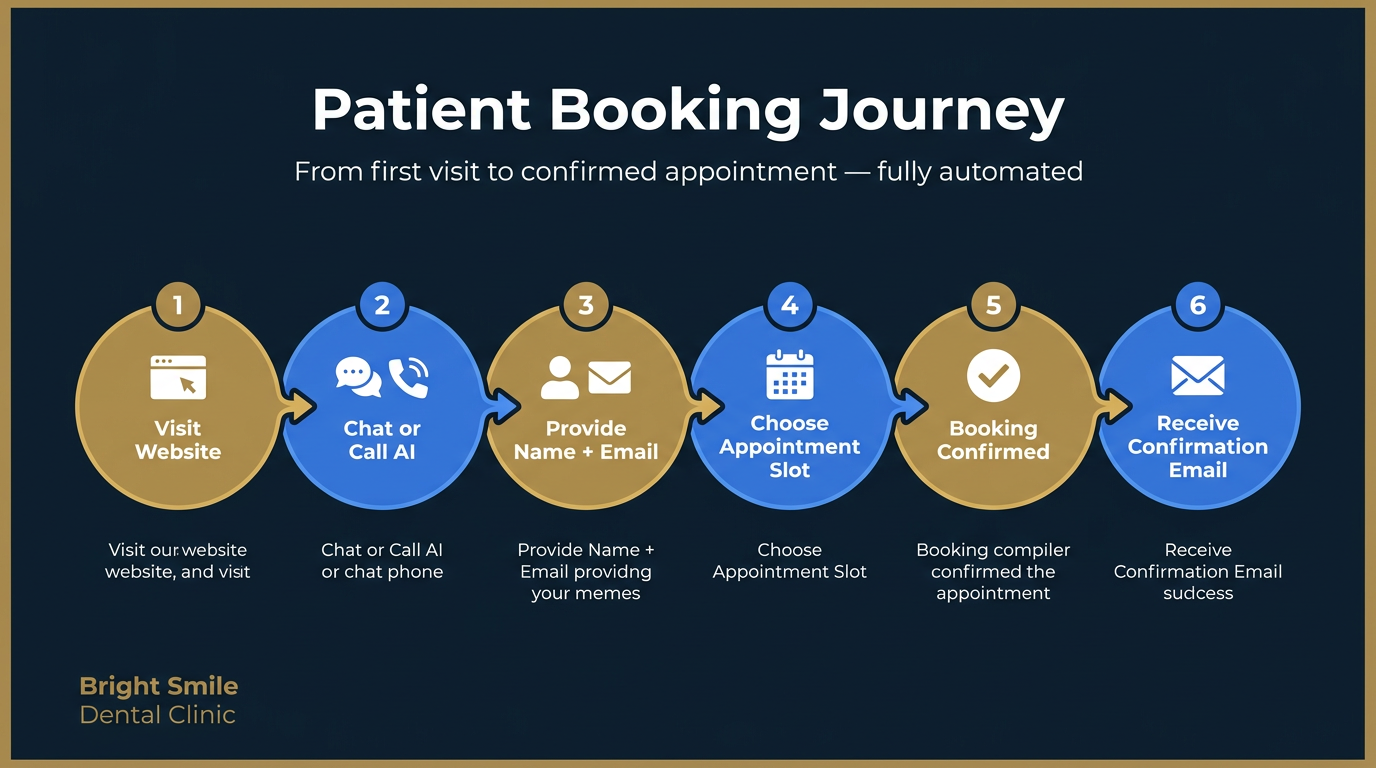
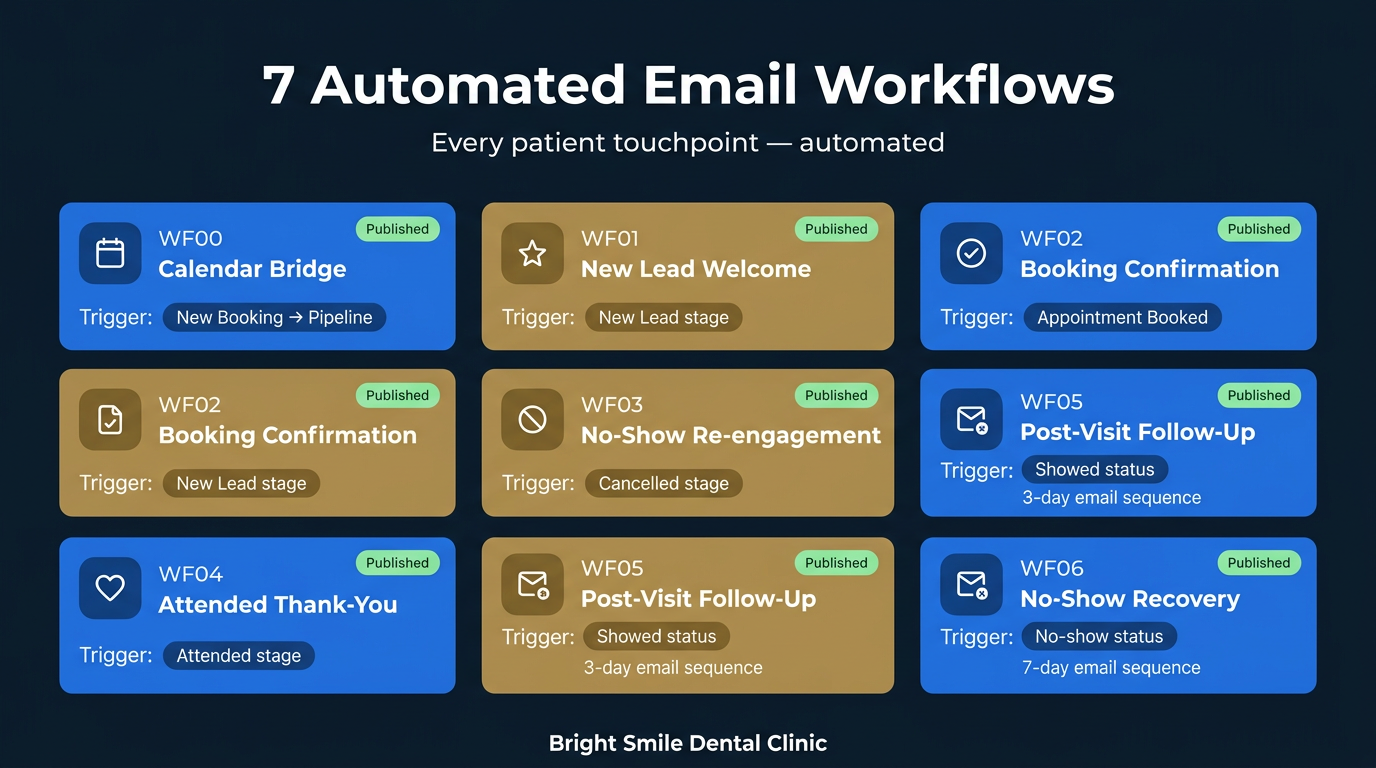
GoHighLevel Full CRM & AI system build Flagship
n8n AI agents & custom workflows Specialty
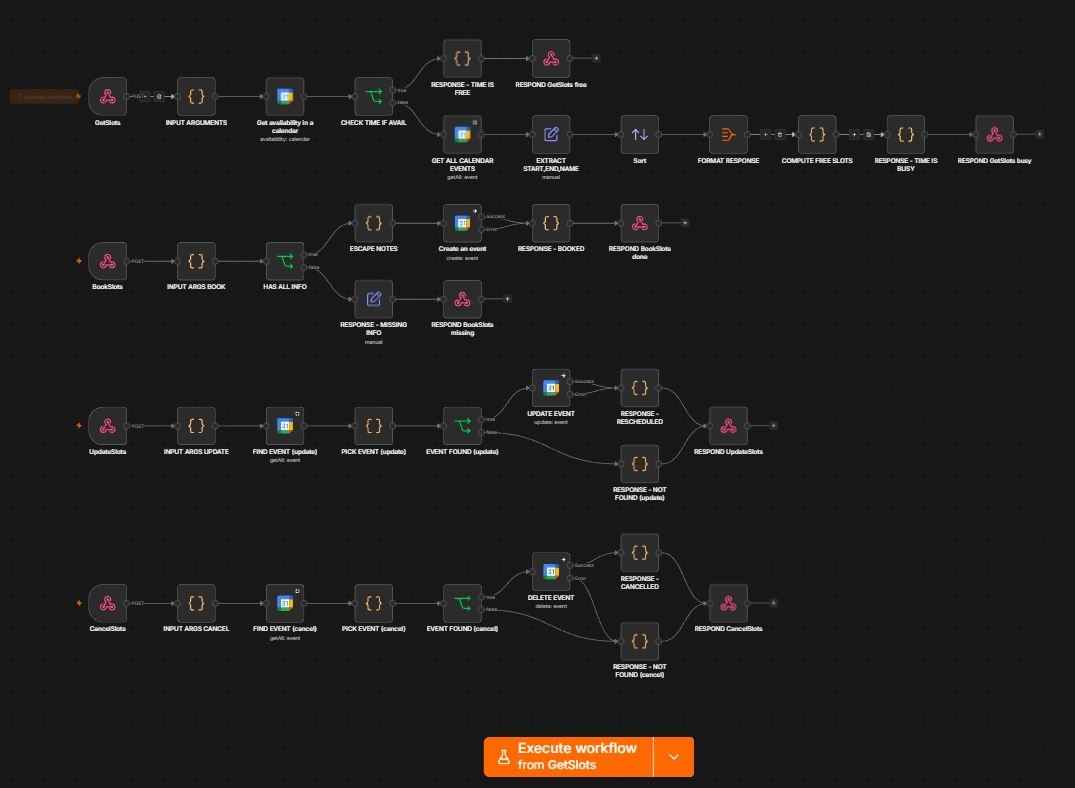
n8n workflow with four webhook flows for booking, rescheduling and cancelling appointments by voice

The receptionist that never sleeps

A four-endpoint n8n backend powering a live voice AI. Callers book, reschedule, and cancel consultations by speaking — the system checks real calendar availability, creates events with Meet links, and sends invites. Every branch has a failure path, so no lead is ever dropped.

  • n8n
  • Voice AI
  • Google Calendar
  • Webhooks

Live on this site — call it yourself

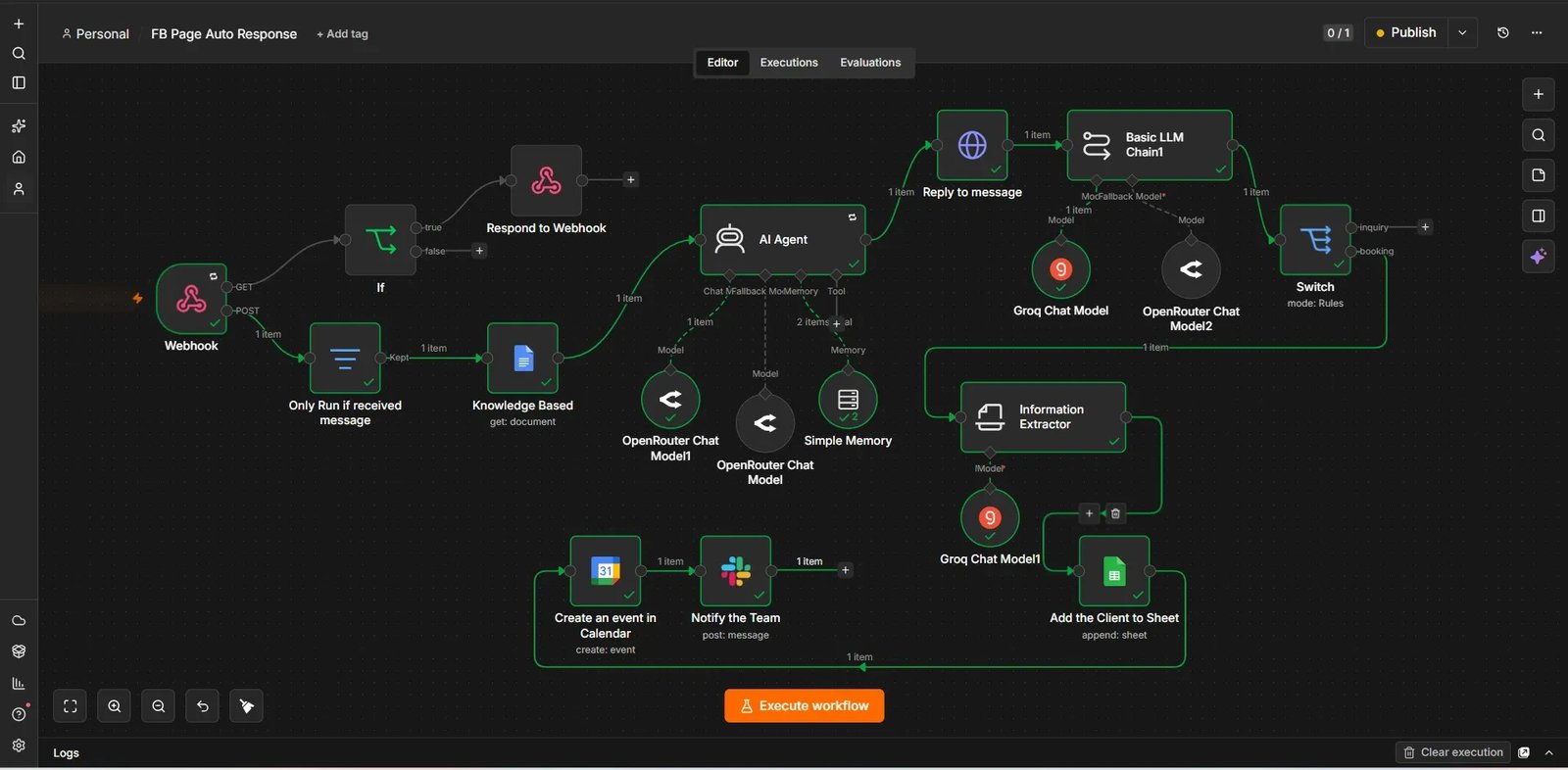
n8n AI agent workflow for Facebook Page auto response with knowledge base, memory, intent switch, calendar booking and Slack notification

A Facebook page that qualifies its own leads

An AI agent answers Messenger enquiries from a knowledge base, remembers the conversation, then routes by intent: general questions get answered on the spot, booking intent gets extracted into a calendar event, the team gets pinged in Slack, and the client lands in Sheets. Dual-model setup with Groq and OpenRouter fallbacks so it never goes silent mid-chat.

  • n8n
  • AI Agent
  • RAG
  • OpenRouter
  • Groq

Answers, qualifies, and books — without a human in the thread

Zapier Multi-path business automation
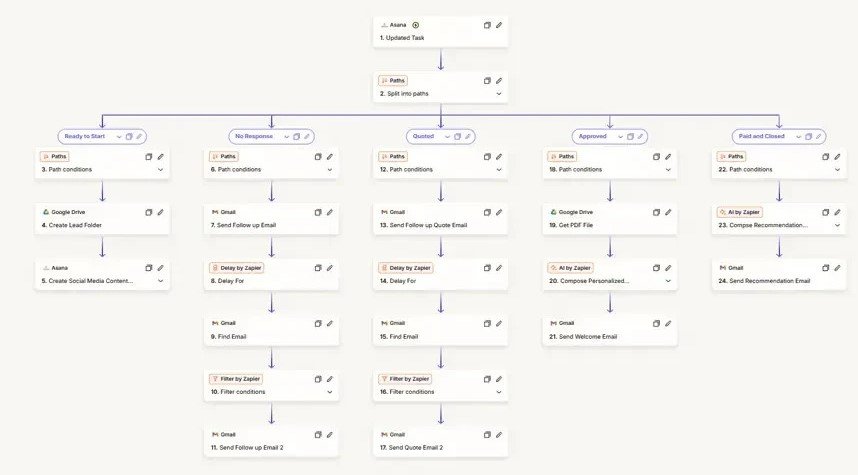
Zapier automation with five paths driven by Asana task stages, sending follow-up emails and creating folders

A sales pipeline that chases itself

Five branches driven by deal stage — Ready to Start, No Response, Quoted, Approved, Paid and Closed. Each one fires its own sequence: folders created, AI-composed emails, timed follow-ups, recommendation mailers. Nobody has to remember to follow up.

  • Zapier
  • Asana
  • AI by Zapier
  • Gmail

Every deal stage triggers its own follow-up, automatically

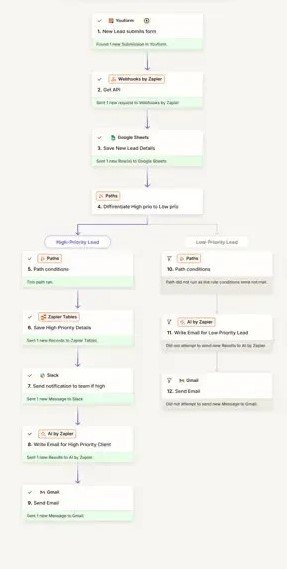
Zapier lead routing automation splitting high and low priority leads to Slack, Tables and Gmail

Lead triage in under a minute

Form submissions are logged, then split by priority. High-value leads land in Zapier Tables, ping the team in Slack, and get an AI-drafted personal reply. Everyone else receives a clean templated response — nobody is ignored.

  • Zapier
  • Paths
  • Slack
  • AI by Zapier

Hot leads answered before competitors even open the email

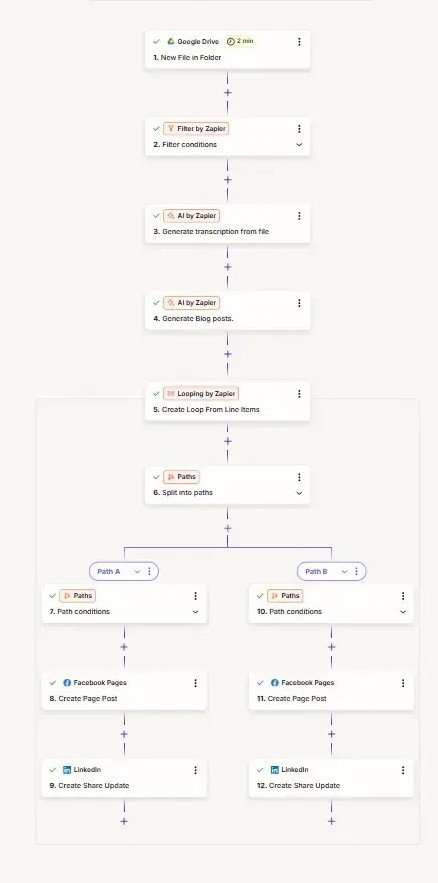
Zapier content engine turning a Drive recording into transcription, blog posts and social updates

One recording, every channel

Drop a file in Drive and the rest happens alone: AI transcribes it, writes the blog post, loops through the pieces, and publishes tailored versions to Facebook Pages and LinkedIn. One input, a week of content.

  • Zapier
  • Google Drive
  • AI by Zapier
  • LinkedIn

A single upload becomes a full content cycle

Make API integrations & data sync
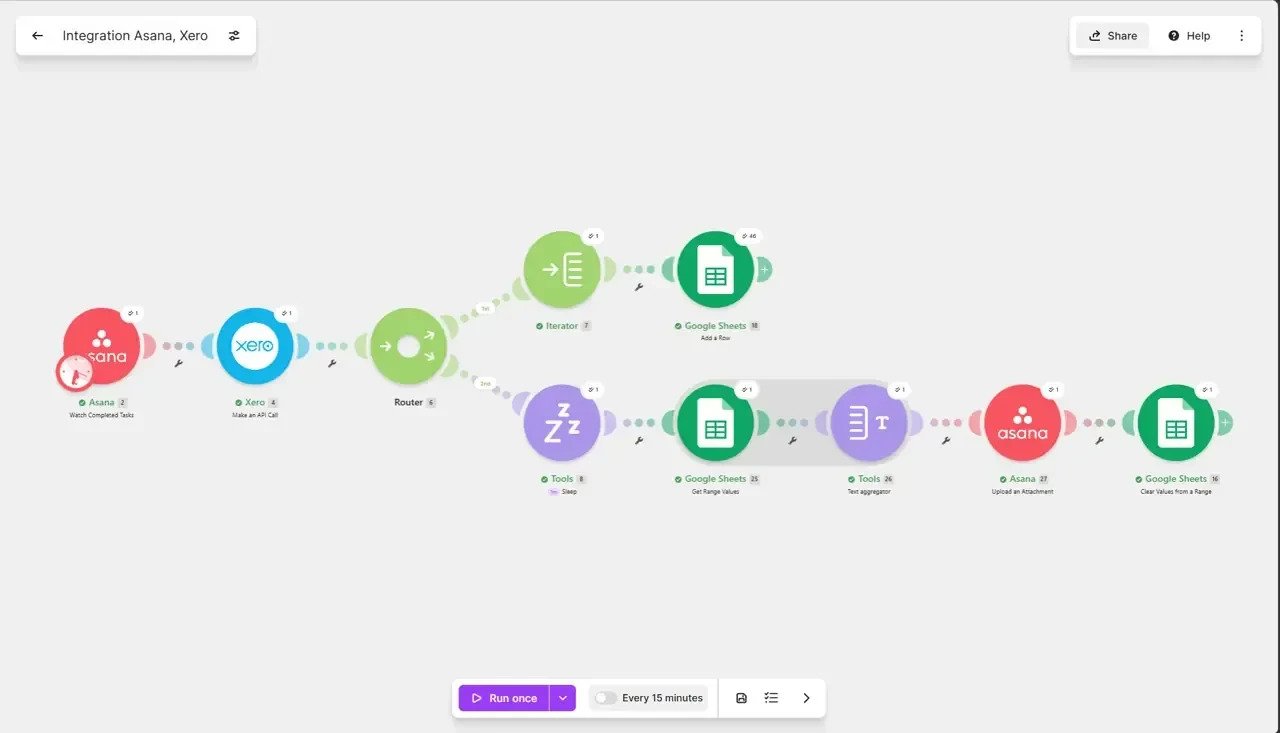
Make scenario connecting Asana completed tasks to Xero invoicing and Google Sheets

The end of double entry

Completed Asana tasks call the Xero API directly, then a router fans the results into Sheets logs, aggregates the line items, and attaches the finished document back onto the original task. Finance and delivery finally agree.

  • Make
  • Asana
  • Xero API
  • Google Sheets

Invoices raised from work that's already done — no re-typing

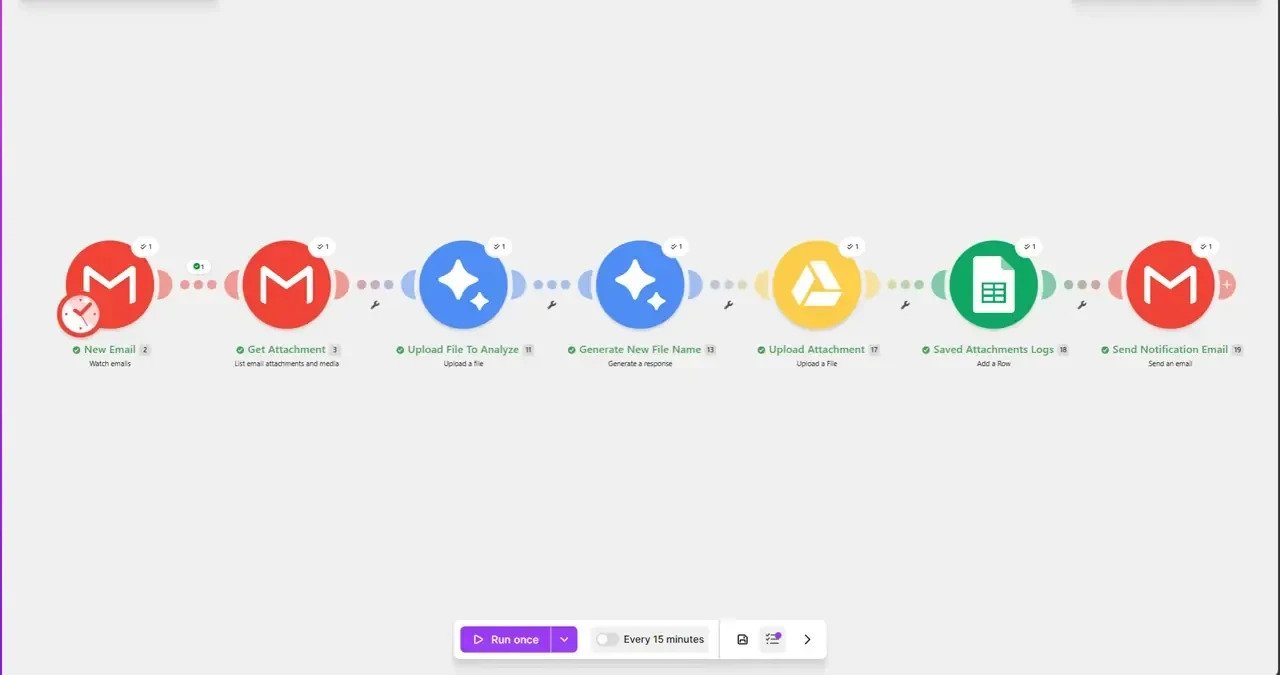
Make scenario analysing email attachments with AI, renaming and filing them into Google Drive

Attachments that file themselves

Every inbound attachment is read by AI, renamed based on what's actually inside it, filed into the right Drive folder, logged to Sheets, and confirmed by email. The shared inbox stops being a graveyard.

  • Make
  • Gmail
  • AI Analysis
  • Google Drive

Documents named and filed correctly, every single time

In production

Not a portfolio of mockups.

Every system above is a real build with real screenshots. The booking calendar on this page reads my live Google Calendar, and the voice assistant answers on the first ring — try them both before you decide.

  • 4 Automation platforms
    built in production
  • 8 Systems shipped
    and documented
  • 24/7 Uptime your systems
    keep running at
  • 100% Owned by you —
    no lock-in, ever
Working across n8n GoHighLevel Zapier Make OpenAI Google Workspace

FAQ

Common questions.

How much does an automation project cost?

It depends on scope, but most projects range from a single focused workflow to a full multi-system build. After a free consultation you'll get a fixed quote with the expected ROI — no hourly surprises.

How long does a typical build take?

A focused workflow usually ships within 1–2 weeks. Larger systems with multiple integrations typically take 3–6 weeks including testing and deployment.

Do I need technical knowledge to use what you build?

No. Systems run in the background, and you get plain-language documentation plus a walkthrough. If something needs your attention, the system tells you.

What tools do you work with?

n8n, OpenAI, Make, Zapier, GoHighLevel, Google Workspace, and virtually any tool with an API. If your stack can talk HTTP, I can automate it.

Who owns the automations after the project?

You do — fully. Everything is built in your accounts, documented, and handed over. No lock-in, no dependency on me to keep running.

Do you offer support after deployment?

Yes. Every build includes a support window, and ongoing optimization retainers are available if you want the system to keep improving.

Start here

Let's find your first
hundred hours.

Pick a time that suits you. Thirty minutes, no charge — tell me where your hours go and I'll tell you what can run itself.

1Choose a day

Times shown in your local timezone

2Pick a time

Select a day to see open times.

This calendar reads my real Google Calendar through my own n8n automation — the same kind of system I build for clients.